
Table of Contents
Are you tired of cable clutter or struggling to connect new devices to your laptop? With everything from smartphones to laptops shifting toward USB-C, adapters are now more important than ever. In this easy guide, we’ll cover everything you need to know about USB to USB-C adapters—with a special look at the ultra-slim 8-in-1 USB-C Docking Station from Impulse Panda!
What is a USB to USB-C Adapter?
A USB to USB-C adapter lets you connect your older USB-A devices (think flash drives, keyboards, or printers) to modern devices with USB-C ports. The adapter simply bridges the gap between new and old tech—no software, no hassle.
Why Are USB-C Adapters So Popular?
- Universal Compatibility: Most new laptops, tablets, and phones use USB-C for charging, data transfer, and video output.
- Speed: USB-C often offers faster charging and quicker file transfers compared to older USB ports.
- Convenience: One port for many functions—power, video, and data.
The 8-in-1 USB-C Docking Station: More Than Just an Adapter
Impulse Panda’s 8-in-1 Ultra-Slim Docking Station takes adapters to the next level. It’s more than a plug—it’s a complete work hub!
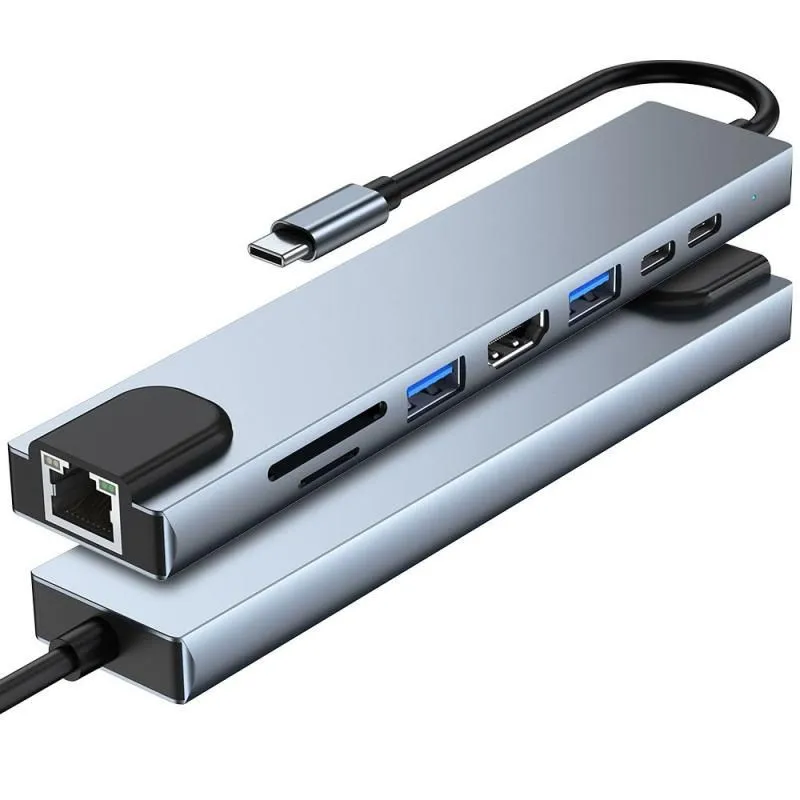
4K HDMI Video Output: Connect to monitors, projectors, or TVs and enjoy sharp 4K quality for movies, games, or presentations.
Fast Charging & Power Delivery (87W): Keep your device powered up while multitasking—all from the same hub.
High-Speed Connectivity: Experience stable internet via Gigabit Ethernet for gaming, streaming, or Zoom calls.
Compact & Portable: Its aluminum alloy design is lightweight—perfect for travel, office, or remote work.
Where Are USB-C Adapters Useful?
USB-C adapters shine wherever device compatibility matters, like:
- Home offices
- Universities and classrooms
- Co-working spaces
- Professional travel
- Remote work setups
What to Look For in a Great USB to USB-C Adapter:
- Build Quality: Look for a durable, aluminum alloy design to handle everyday use.
- Multiple Ports: If you need HDMI, Ethernet, or SD card access, choose a docking station over a single adapter.
- Warranty & Support: Products like Impulse Panda’s docking station come with a 12-month warranty and easy returns, giving you peace of mind.
Frequently Asked Questions
- Can I use my docking station with MacBook and Windows?
Yes! The 8-in-1 USB-C Docking Station is designed to work seamlessly with both. - Is it plug-and-play?
Absolutely. Just connect it to your USB-C port—no drivers required. - Will I get the best video quality with HDMI?
You get up to 4K at 30Hz (and smooth 1080p), perfect for most displays and streaming.
Final Thoughts & Where to Buy
A USB to USB-C adapter is a must-have tool in today’s tech landscape. For those looking to future-proof their setup and get the most value, a multi-port USB-C docking station like Impulse Panda’s 8-in-1 Ultra-Slim Hub is the ultimate upgrade. You get more ports, more speed, and more convenience in one sleek package.
Ready to transform your workspace?
Check out the 8-in-1 USB-C Docking Station at Impulse Panda and enjoy free shipping on orders over $20!
 ImpulsePanda Blog